

requestSignIn(opts)
Show the Rownd sign-in dialog, or automatically initiate a sign-in.
Examples
Prompt the user to sign in
requestSignIn() can be called without any parameters and the user can choose to sign in
with any of your app’s configured sign-in methods.
Automatically sign in a user using their email
Prompt the user to sign in with Google and save a referral code to their user data
Parameters
string
An email address or phone number (in E164 format) to
which a verification message may be sent. If the Rownd app is configured to
allow unverified users, then sign-in will complete without verification if the
user has not signed in previously.This is frequently used in conjunction with
auto_sign_in: true to automatically sign in a specific user.Example
Example
boolean
default:"false"
When
true, automatically trigger a sign-in
attempt if identifier is included or an email address or phone number has
already been set in the user data.Example
Example
SignInMethod
If set, Rownd will initiate a sign-in with the specified method. Must be one of
'email', 'phone', 'google', 'one_tap', 'passkeys', 'crypto_wallet', or 'anonymous'Example
Example
boolean
default:"true"
After the sign-in completes, Rownd will redirect to the configured
postLoginRedirectUrl
or postRegistrationUrl. If false, the user will stay on the verification page. This
can be helpful if your site or application cannnot be reached via a traditional redirect,
such as if it’s running in an iframe.Example
Example
string
An absolute or relative URL for which to redirect the user after the sign-in completes.
This overrides
postLoginRedirectUrl and postRegistrationUrl if they are set.Example
Example
object
Extra user data to append to the user record when sign-in completes.
Example
Example
boolean
default:"true"
When
true, user data that was previously set using rownd.user.set() will be added to
the user record after sign-in.Example
Example
string
This option applies only when you have opted to split the sign-up/sign-in flow via the Rownd dashboard. Valid values are
"sign_in" or "sign_up". If you don’t set this value, the user will be presented with the unified sign-in/sign-up flow.Example
Example
signOut()
Signs out the user, clearing their access token and user data
getAccessToken()
Get the access token for the signed-in user.
Parameters
boolean
default:"false"
When
true, if no access token is present or if
it’s expired, the promise will not be resolved until a valid token is
available. While unlikely, this could result in waiting forever.Example
Example
user
Function
Gets the data associated with the current user
Example
Example
Function
Replaces all of the user data for the current user.
Example
Example
Function
Sets a specific field in current user’s data.
Example
Example
Function
Upload a file for a specific field
The file parameter must be a javascript File. If the field name corresponds to
an image field, the mime type of the file must have an “image/” prefix (e.g.
“image/png”)
Example
Example
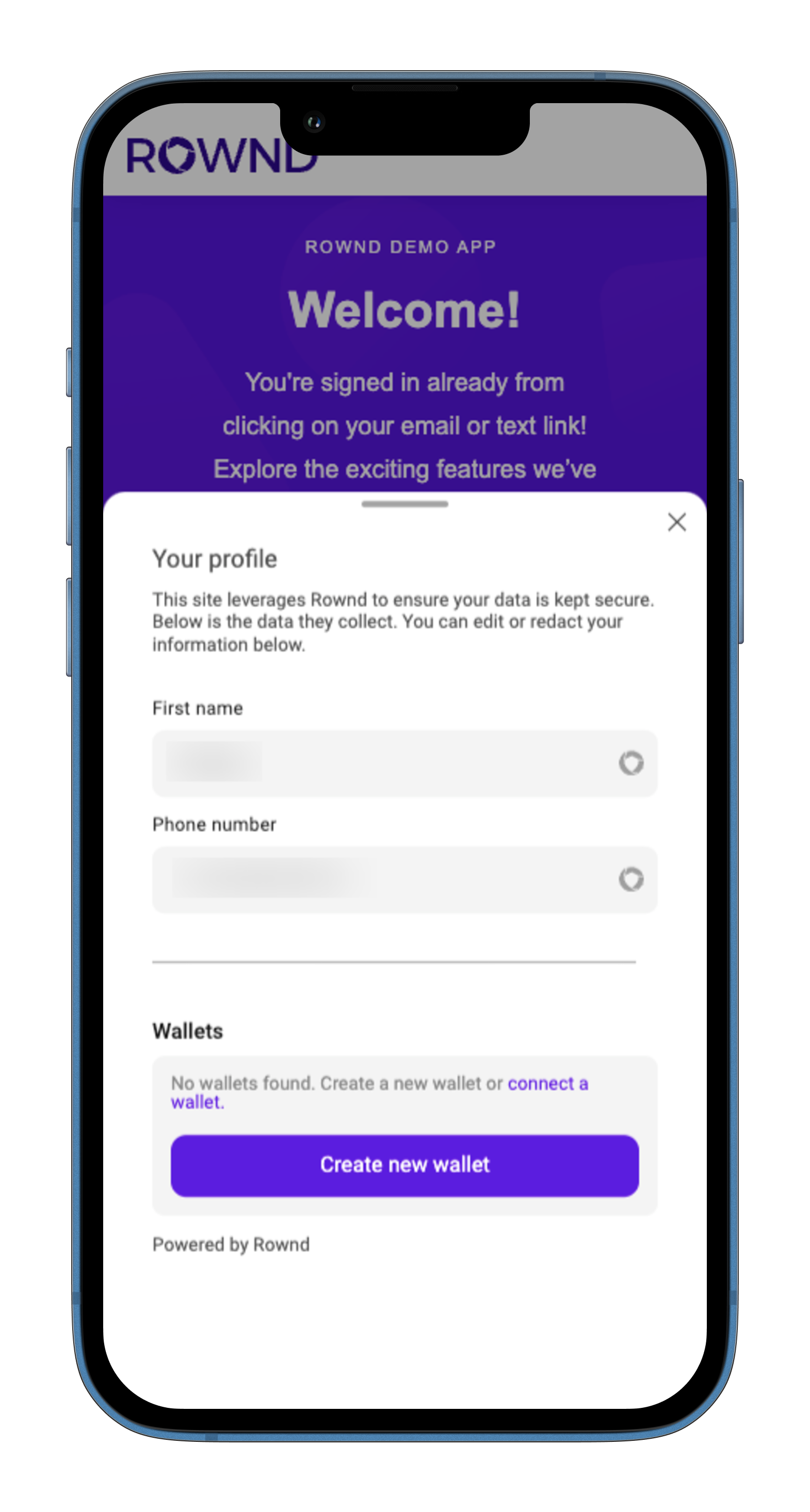
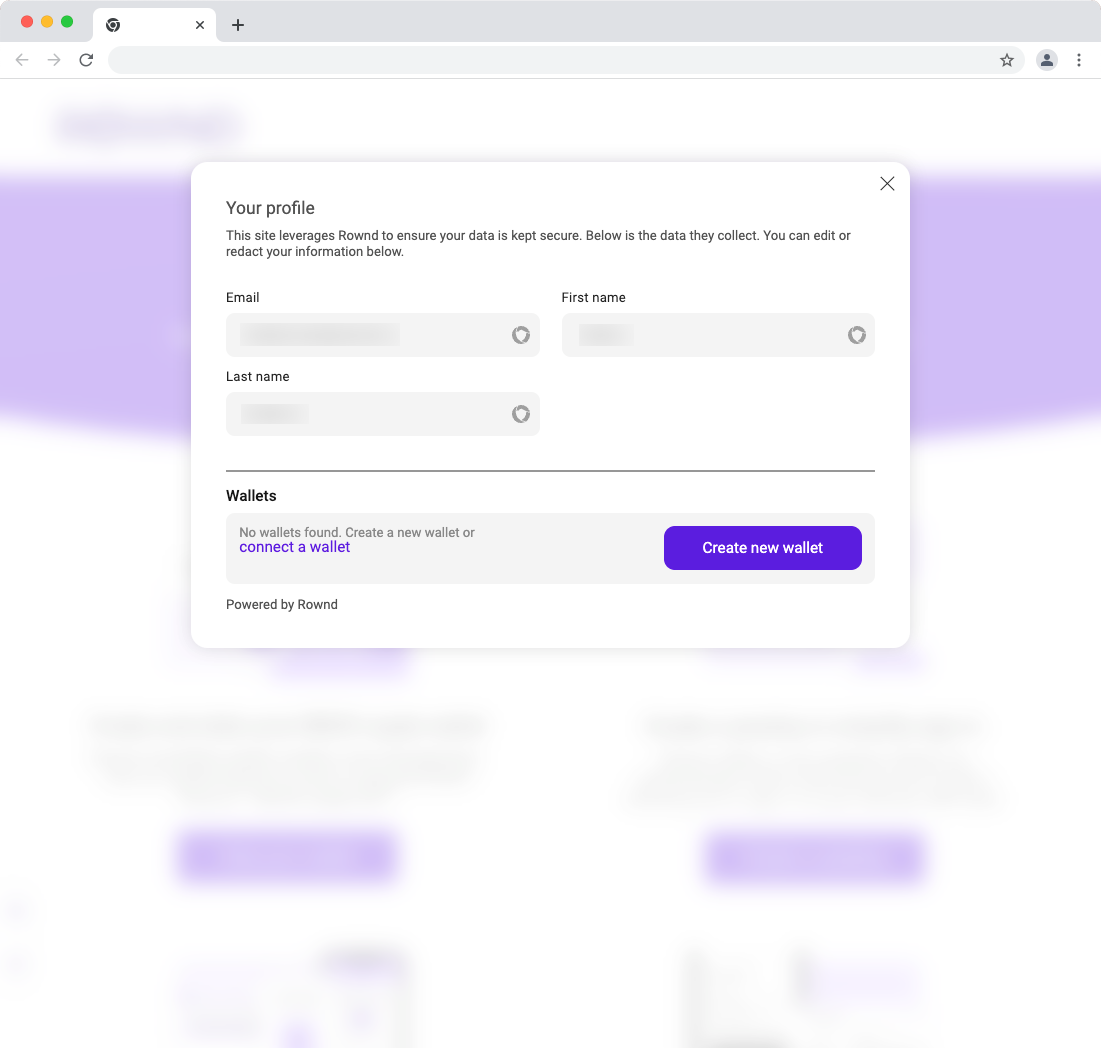
Function
Show the user profile dialog
Example
Example
- Mobile
- Desktop
auth
Function -> boolean
Returns
true if the current user is a verified user. In practice, this means that they have at least
one piece of verified data (email, phone, etc).Example
Example
requestFields()
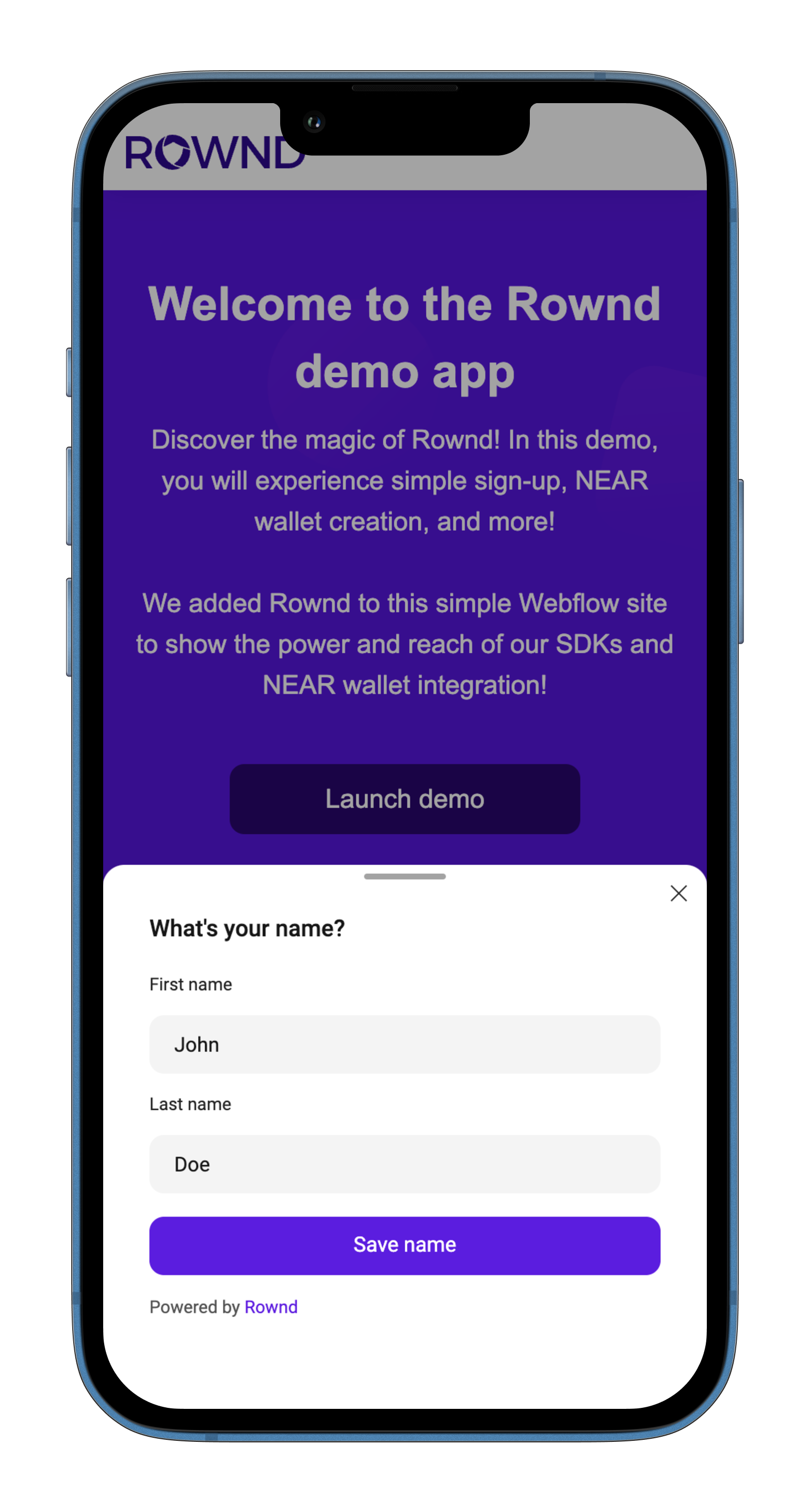
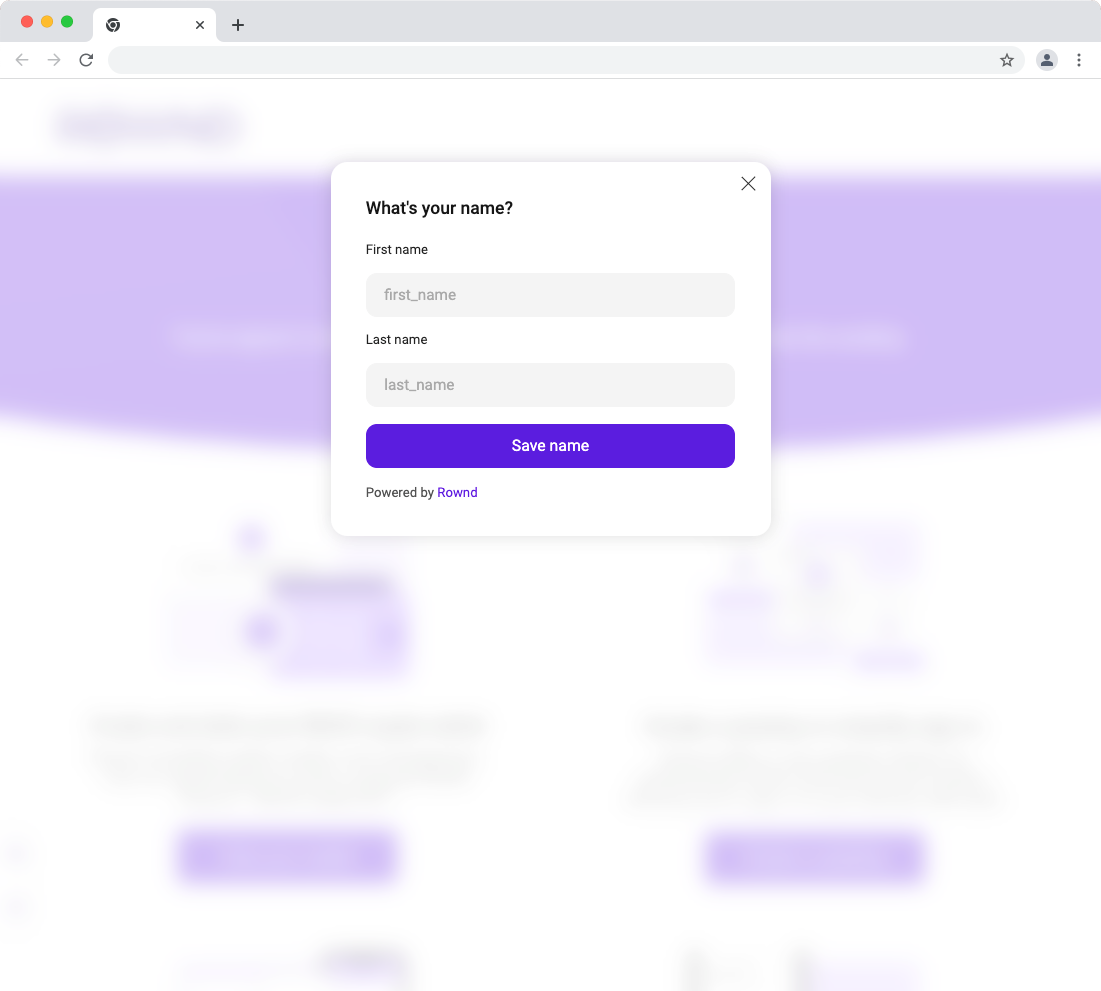
Prompt the user to enter values to save in their data. You can specify the fields, submit button content, and the
queustion/prompt.
Examples
Prompt the user to enter their first and last name
- Mobile
- Desktop
Parameters
string[]
List of the field names for which to prompt the user.
The fields must exist in your application’s Data Types in order to save the data to the user’s profile
string
The text to show on the submit button
string
The prompt or question displayed on the dialog
near
object
The
near API allows you to interact with the Rownd’s NEAR integration.function
Creates an implicit NEAR account for the current user if one doesn’t already exist
Example
Example
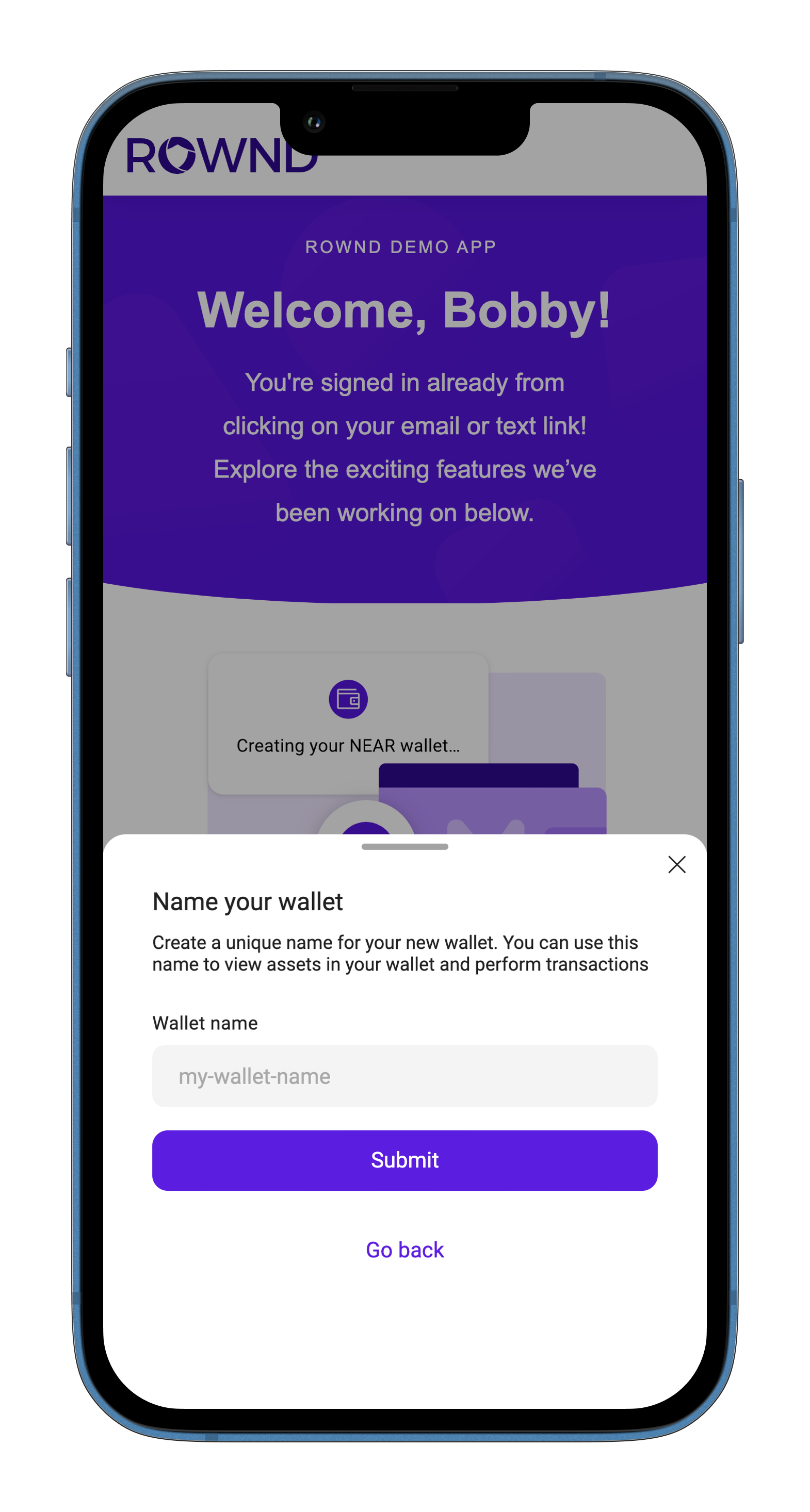
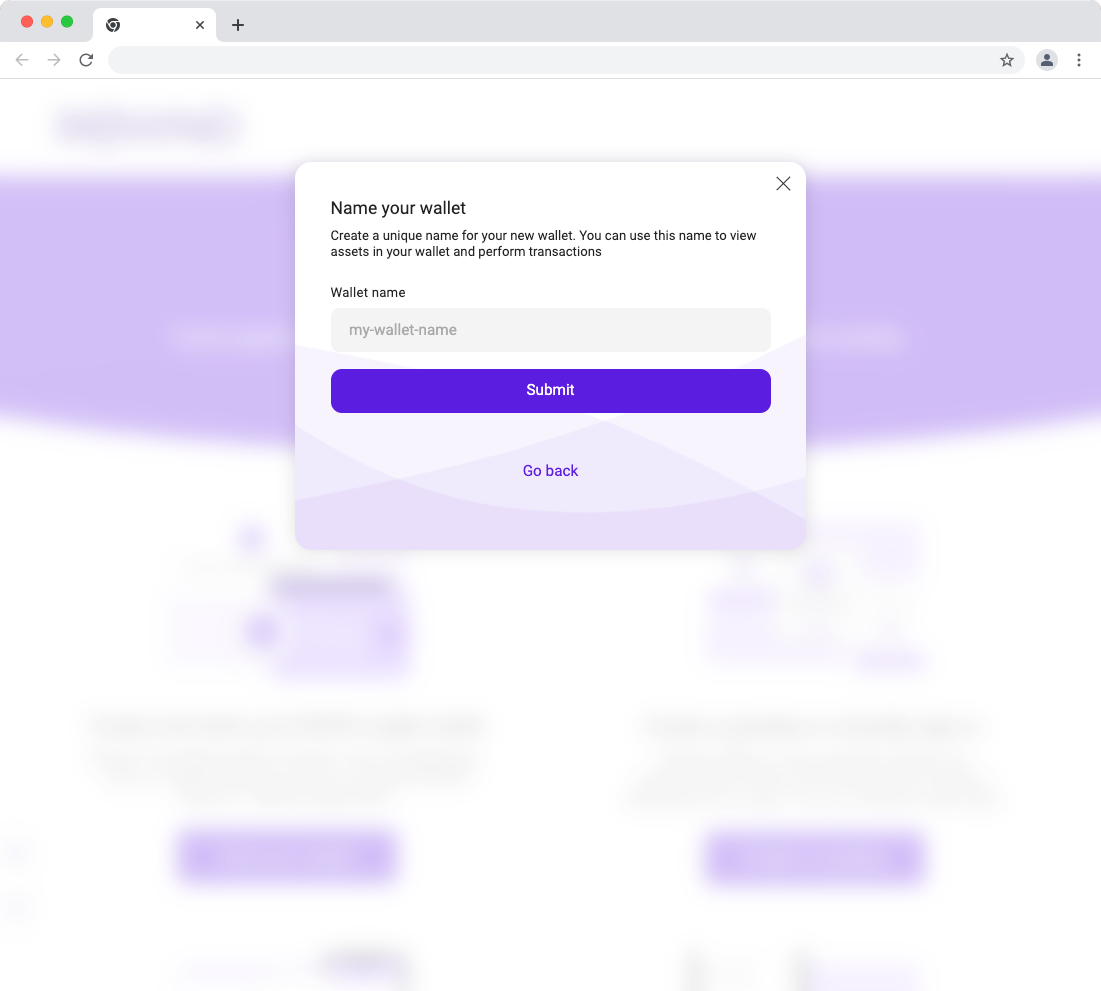
function
Prompts the user to create a named NEAR account
Example
Example
- Mobile
- Desktop
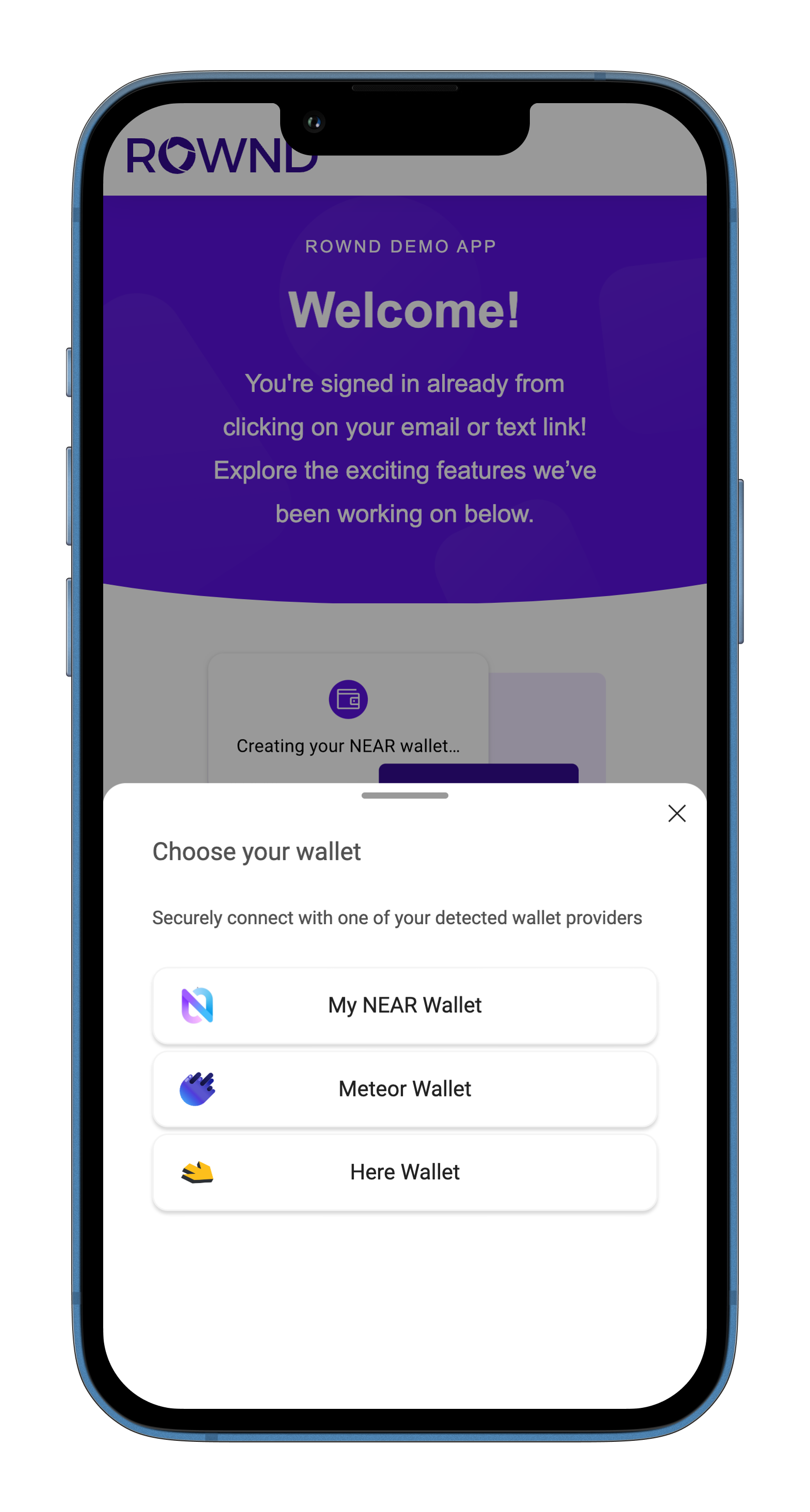
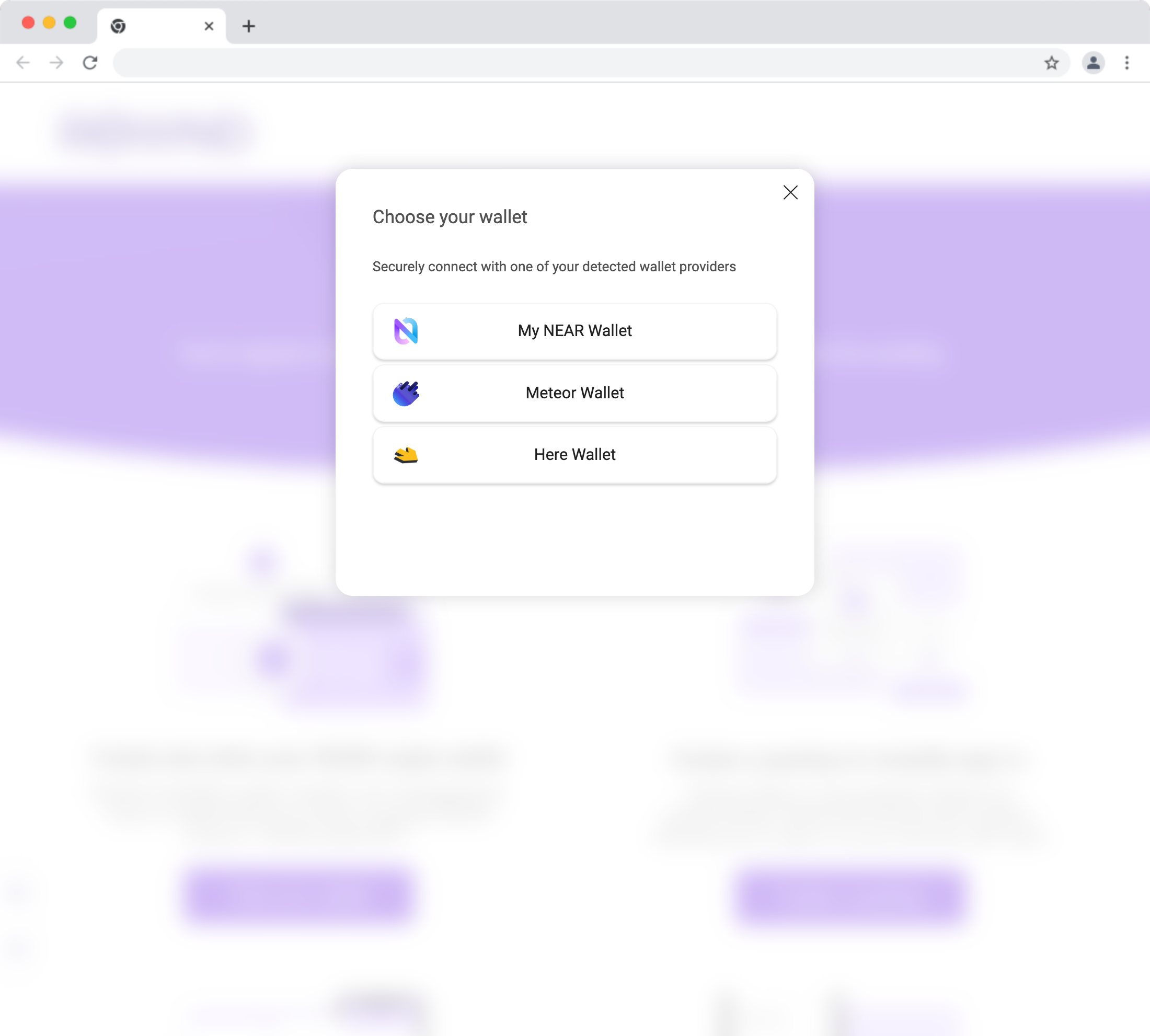
function
Prompts the user to connect a NEAR accuont
Example
Example
- Mobile
- Desktop
function
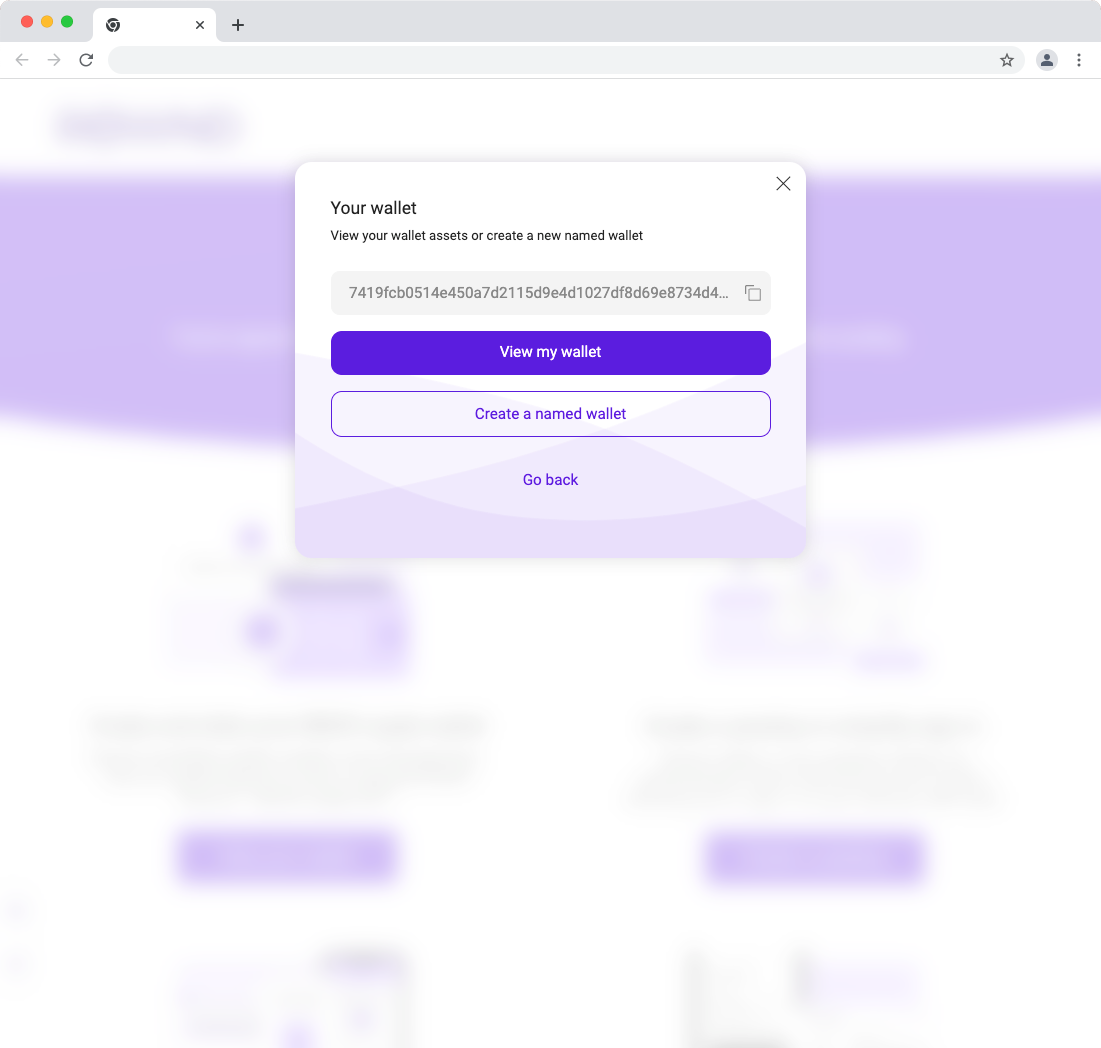
Opens a dialog showing the details of the user’s implicit NEAR account
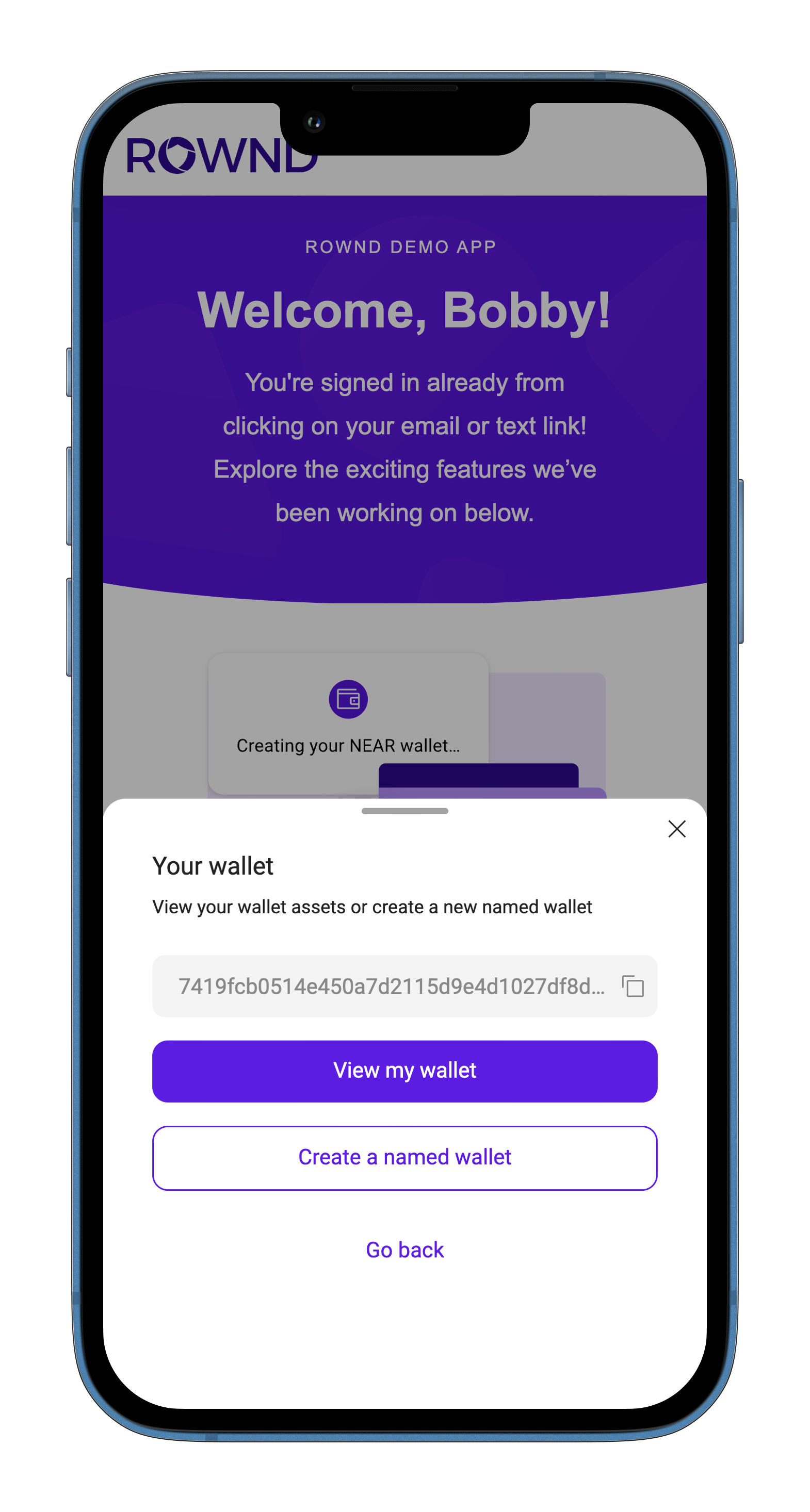
Example
Example
- Mobile
- Desktop
LoginStep
A step in the Rownd sign-in dialog. Used when calling requestSignIn to show
a specific step.
enum
enum
enum
enum
enum